If your business doesn’t have a written AI acceptable use policy yet, a federal court ruling from earlier this year is a good reason to write one this month, not sometime later.
On January 5, 2026, a U.S. District Court in New York ordered OpenAI to hand over 20 million de-identified ChatGPT conversation logs as part of a copyright lawsuit brought by news organizations.
OpenAI had argued the order didn’t sufficiently weigh user privacy, but the judge disagreed, finding that because users voluntarily submitted their conversations and OpenAI’s ownership of the logs was uncontested, the privacy interest was weaker than in cases involving secretly recorded calls. In plain terms: what your employees type into a chatbot isn’t automatically private, and under the right circumstances, it can become evidence.
💡 Core Insight: A 2026 federal court ruling compelled OpenAI to produce 20 million ChatGPT logs as evidence in ongoing litigation — a reminder that AI conversations aren’t private by default and can become discoverable business records.
Most small businesses assume that kind of exposure only applies to giant companies with giant lawsuits. But an AI acceptable use policy isn’t really about lawsuits — it’s about knowing what your team is doing with AI tools before something forces you to find out the hard way.
What Is an AI Acceptable Use Policy?
An AI acceptable use policy — sometimes called an AI usage policy — is a short internal document that defines which AI tools your employees can use for work, what data they’re allowed to put into them, and what happens if someone breaks the rules. You’ll see it called a company AI policy, an AI policy for employees, or a workplace AI policy in different places — they all mean the same set of ground rules. It’s the difference between “we hope people are being careful” and “here’s exactly what careful looks like.” With the definition out of the way, here’s what actually needs to be in it.
The 5 Things Your Policy Actually Needs to Cover
Most templates you’ll find online are built for enterprises with dedicated legal and compliance teams. An SMB doesn’t need 20 pages — it needs these five things covered clearly, in language a non-lawyer can act on.
1. Approved and Prohibited Tools
List the specific AI tools employees can use for work — ChatGPT Business, Microsoft Copilot, whatever your team already relies on — and name what’s off-limits, like personal ChatGPT accounts on free tiers.
2. What Data Can Never Go In
Customer names, Personally Identifiable Information (PII), financial figures, trade secrets, Intellectual Property (IP), contracts, and employee records — spell out the categories that can’t be pasted into any AI tool, approved or not, unless that specific tool has been cleared for that data type.
3. Human Review and Accountability
If AI drafts something a customer sees — an email, a proposal, a report — a person reviews it first, and that person owns the outcome, not the tool. Name this explicitly instead of assuming it’s obvious.
4. Training Tied to Onboarding
A policy nobody reads is just a file on a server. Make it part of new-hire onboarding and a five-minute annual refresher, not a one-time email.
5. Consequences for Violations
State plainly what happens if someone ignores the policy — additional training for a first slip, tool access removed for repeated ones. Vague consequences train people to ignore the policy. Get these five right, and you don’t need a big compliance program — you need a system you can actually run without expensive governance software.
Making It Work Without a Governance Platform
Most of what’s written on this topic is aimed at companies that can afford AI governance software or a dedicated DLP tool. Your business probably can’t, and doesn’t need to.
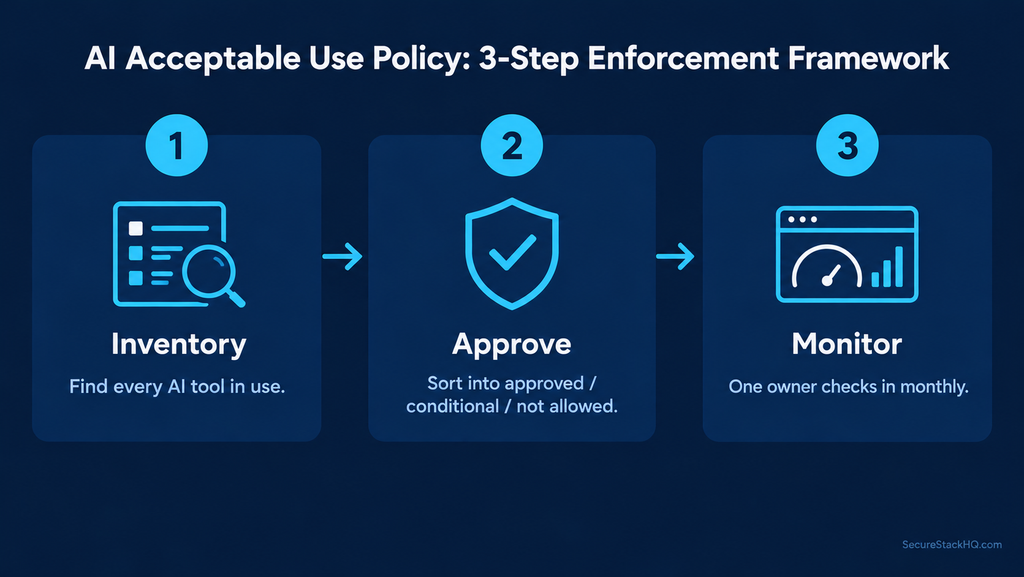
Here’s the manual version, run by one person, that a five- to fifty-person team can maintain with a spreadsheet:
- Inventory. Spend an afternoon asking every team what AI tools they’re actually using — not what IT approved, what’s actually happening. You’ll likely find more than you expect; this is the same shadow AI problem SecureStackHQ has covered before in our Shadow AI Risk Guide, and it’s usually bigger than owners assume.
- Approve. Take that list and sort it into “approved,” “approved with conditions,” and “not allowed” — a single spreadsheet tab is enough.
- Monitor. Name one person — not “the IT team,” an actual name — who checks in on tool usage monthly and owns updating the approved list as new tools show up.
That’s the whole system. No software purchase required, and it’s honest about what a small team can actually keep up with. Once that system exists, the only thing left is making sure your team actually knows about it.
Rolling It Out to Your Team
Once the policy exists, how you introduce it matters as much as what’s in it. Send it to everyone with a short explanation of why it exists — the goal is confident AI use, not fear of it. Have each employee sign a simple acknowledgment (a digital signature or even a dated email reply works) and keep that record on file. Fold the policy into onboarding for new hires so it’s a habit from day one, not a retroactive scramble.
🔗 Related Analysis: Learn how to audit vendor software terms in our Enterprise AI Vendor Evaluation Checklist, or review our 7-step guide on Fixing AI Privacy Concerns.
With the policy written, introduced, and being monitored, the questions that come up next are usually the same ones every time — here they are.
Frequently Asked Questions (FAQ)
Can’t we just use a generic template? You can start with one, but it needs to reflect your actual tools and your actual data — a template that never mentions your industry’s specific risks (client PII in a law firm, patient data in a clinic) will miss the things that matter most for your business.
Who should own and review the policy? Whoever’s closest to day-to-day operations — often the owner or office manager in a small business — not necessarily whoever is most “technical.” Review it at least annually, sooner if you adopt a major new AI tool.
How detailed should it be? Detailed enough that an employee can make a decision without asking. If the answer to “can I use this tool for this task” is “it depends,” the policy needs another sentence.
Does this replace our existing IT policy? No — it supplements it. Your general IT and data-security policies still apply; this one addresses what’s specific to AI tools.
One more thing worth knowing before you finalize anything — the real advantage smaller teams have here that most guides never mention.
The SMB Advantage
Large enterprises are discovering they have two to four times more AI tools in active use than their leadership expected, simply because nobody can inventory that much activity fast enough. A ten-person business doesn’t have that problem — you can find out exactly what’s being used in an afternoon and fix it in a week. That’s a real advantage small teams have over companies ten times their size when it comes to running an AI acceptable use policy that actually works — it’s just rarely used.